
Your website is often the first thing a potential client sees before they ever speak to you. It needs to look sharp, load fast, and make it obvious what you do and who you do it for — all within a few seconds.
The problem is that most multipurpose themes weren’t built with consulting businesses in mind. They don’t have the right page structures, trust signals, and starter content to get you up and running without a lot of customization.
That’s why I spent time testing over 20 consulting themes, so I know which ones are fast, easy to set up, and built to help you win clients from the moment someone lands on your site.
In this guide, I’ll share the best WordPress consulting themes you can use, whether you’re a solo practitioner, a small firm, or a growing agency. Let’s establish your credibility and turn visitors into leads. 💼
Quick 3 Picks: Best WordPress Consulting Themes
In a hurry? Here’s a quick overview of my top 3 WordPress consulting theme picks:
Why Does Your Theme Matter for a Consulting Website?
Your consulting website has one job: make potential clients trust you enough to reach out. Because of that, your WordPress theme is doing more of that work than you might think.
A poorly chosen theme creates friction before a visitor even reads a single word. Slow load times, cluttered layouts, or a design that looks dated can cost you a lead before you ever get the chance to make your case.
The right theme:
Sets a credible first impression.
Makes your services easy to navigate.
Gives you the structure to build a site that grows with your practice.
But “best-looking” and “best for you” aren’t the same thing.
The right theme depends on how technical you are, how much customization you need, how many client sites you’re managing, and what kind of consulting you actually do.
For example, a solo management consultant working out of a home office has different needs than a 10-person branding agency.
In this list, I don’t just rank themes by aesthetics or star ratings. I map each one to a specific type of consulting professional. 👔
See My Process: How I Test and Review WordPress Consulting Themes
For this roundup, I installed each theme on a real WordPress site and imported the consulting demo to see how close to launch-ready it actually was. My goal was to find themes that hold up in real use, not just in a polished live preview.
Here’s exactly what I looked at during testing:
Setup and import speed: I timed how long it took to go from a fresh theme install to a working consulting site using the available starter content.
Starter site quality: I reviewed each consulting demo for structure, layout, and whether it included the sections a real consulting site needs, such as services, testimonials, and a clear call to action.
Page builder compatibility: I tested each theme with Elementor and other popular builders to confirm layouts held up without conflicts or styling issues.
Customization depth: I checked how much design control was available at the free or entry-level tier before an upgrade was required.
Mobile responsiveness: I previewed every theme on phone and tablet screen sizes to confirm layouts adapted cleanly without manual fixes.
Performance: I assessed each theme’s default page weight and load behavior to identify options that are lightweight by design.
This process helped me separate themes that look impressive in a demo from ones that are genuinely practical to build with and built to last as your consulting practice grows.
Why Trust WPBeginner?
At WPBeginner, we’ve spent more than 17 years helping WordPress users build websites that actually work. Our team has tested hundreds of themes across dozens of categories, and consulting themes are no exception.
Every theme in this list was installed, tested, and compared on real WordPress setups. We looked at how well each theme supports consulting needs, including service pages, case studies, and lead capture.
We only recommend themes that meet our internal standards for quality and usability. Our picks are based on real testing results, not sponsorships or partnerships. You can read more about our process in our editorial guidelines.
Now, let’s explore the 9 best WordPress consulting themes to consider.
1. Sydney – Best Overall WordPress Consulting Theme
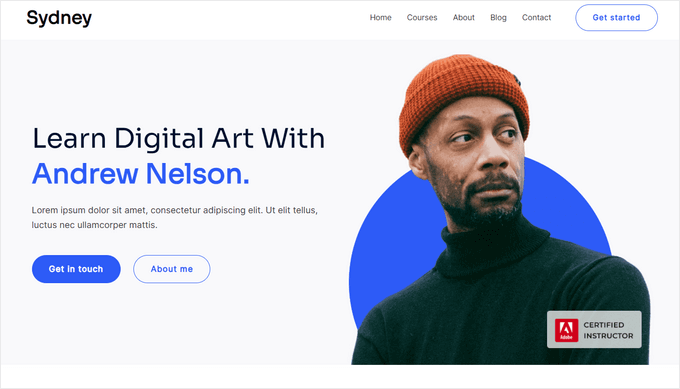
Sydney is the best business-focused WordPress theme that helps consultants launch their websites quickly and look credible. Its free option is strong enough to hold up against premium themes out of the box, making it attractive for solo consultants and small firms on a tight budget.
What stood out to me straight away was how much was already done. With a large library of professionally designed starter sites, Sydney hands you a real starting point instead of a blank screen.
For more insights into the theme, see our detailed Sydney review.
My Experience
The first thing I did was import the consulting business starter site, and it loaded cleanly with no layout issues. That alone saved a significant amount of setup time compared to building a business site from scratch.
The starter site is well-structured for a consulting business. It already includes the key sections you’d expect, like a strong headline, a services overview, testimonials, business stats, and a clear contact call to action.
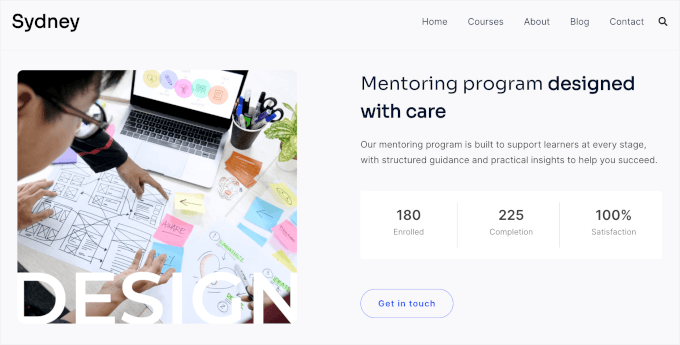
It also comes with pre-designed sections that make it easy to showcase your services, projects, schedules, and more.
For example, I was able to quickly update the built-in Courses page to match my own offerings just by replacing the placeholder content.
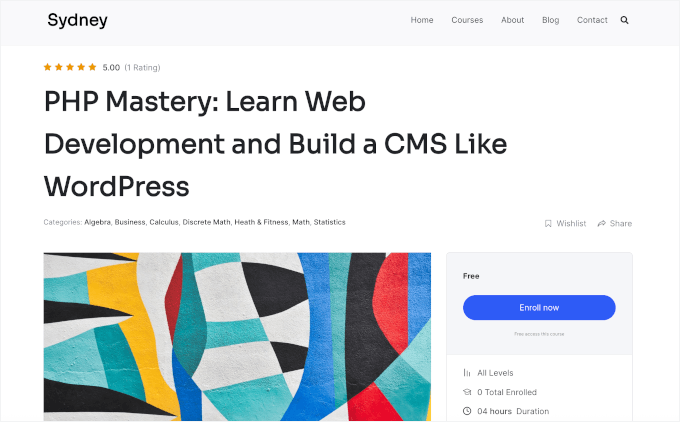
Another thing I liked is how polished everything looks right out of the box. Many free themes require a lot of tweaking before they feel complete, but this one felt close to ready immediately after import.
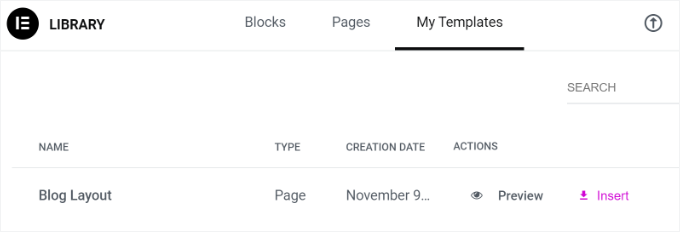
Once the starter site was in place, customizing it with Elementor was straightforward. I could drag and drop elements like text, images, and buttons to adjust the layout, update colors, and swap in my own content, with no code needed.
You can also build custom layouts for individual service pages and reuse them across the site, making it easy to maintain a consistent design without rebuilding each page from scratch.
Mobile responsiveness was solid as well. I checked the site on both a phone and a tablet, and the layout held up nicely without needing any manual adjustments.
Plus, Sydney is SEO-friendly, helping your site rank better in search engines like Google.
✅ What I like about Sydney:
30+ ready-to-import starter sites, including dedicated consulting business starter site
Compatible with Elementor for easy drag-and-drop editing
Built-in template builder for creating custom page layouts
Pre-designed sections for services, projects, contact form, and testimonials
Flexible header and footer customization options
Optimized for speed with a lightweight design
Mobile-responsive across all devices
🤔 What I don’t like about Sydney:
Advanced features require the Pro version
🌟 Why I Recommend Sydney: Sydney gives freelancers and small firms a credible, professional-looking site without a high upfront cost. It’s one of the few free themes that genuinely doesn’t feel like a compromise.
🧑💻 Get the Sydney theme today!
2. SeedProd – Best for Generating an Entire Consulting Website in Under 60 Seconds
SeedProd is an AI-powered website builder that lets you generate a complete consulting site in under 60 seconds – no coding required, no developer budget needed. It’s not a traditional WordPress theme, and that’s exactly what makes it worth considering.
When I first tried it, I was skeptical that the output would look polished enough for a professional consulting site. The result surprised me. The generated site looked custom, not templated.
Some of our partner brands actually use SeedProd to custom-build their business websites. It’s been a great tool, and you can see our full SeedProd review for more information.
My Experience
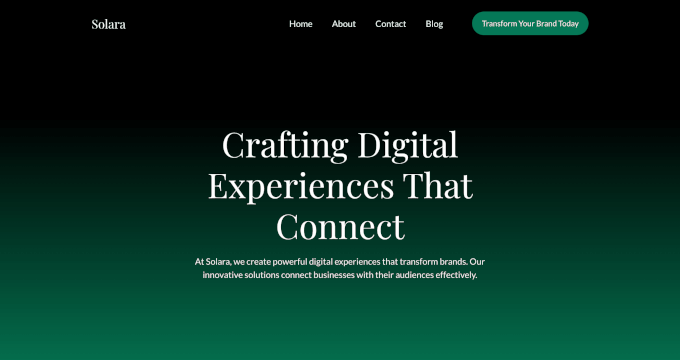
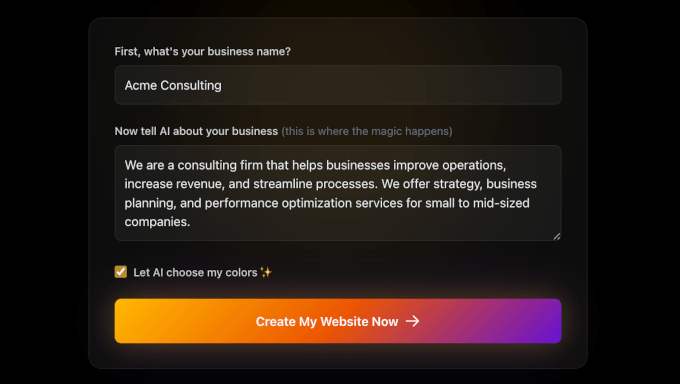
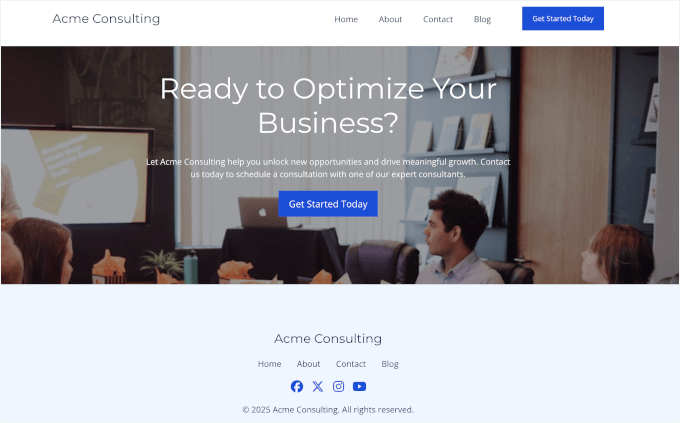
I started by entering a company name and a short description of a consulting business. Once I hit enter, SeedProd’s AI Theme Builder then generated my site.
In under a minute, I had a fully structured website that already looked polished and client-ready.
What stood out was how tailored the design felt, from the header down to the footer. It reflected the business description I provided, which is a big advantage for consultants who want to stand out without hiring a designer.
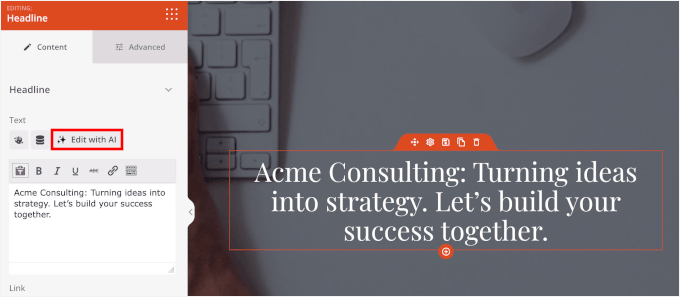
The built-in AI tools also help with content creation.
With the AI writing assistant, for example, you can quickly polish content for sections like “About,” services, or calls to action. This makes it much easier to get online quickly without spending hours writing content.
I also explored SeedProd’s consulting templates. These are useful if you prefer a more traditional starting point or want to compare different layout styles before committing.
From there, I used the drag-and-drop visual builder to make adjustments. Adding blocks, moving sections, and changing colors for my landing page all happened in real time without leaving the editor or touching code.
The layouts are automatically responsive. I checked the site on mobile and tablet, and everything adapted cleanly without any extra work.
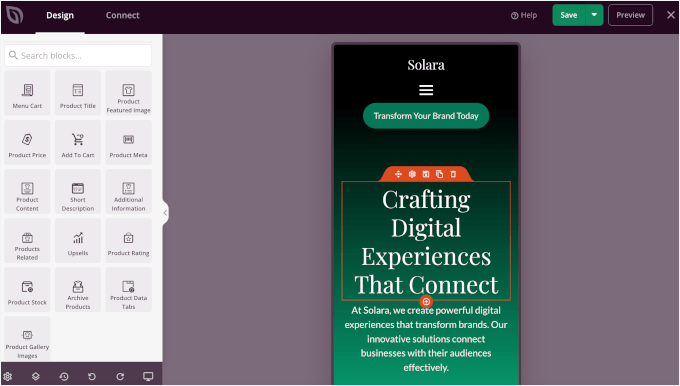
Now, because SeedProd works as a standalone builder, the experience felt cohesive. You never have to worry about future theme updates breaking your site’s design.
I also didn’t run into compatibility issues or layout conflicts, even when using third-party plugins like WPForms and WooCommerce.
The main thing to keep in mind is that if you’re used to standard WordPress themes, there may be a short learning curve at first.
✅ What I like about SeedProd:
Full AI-powered website builder generates a full site in under 60 seconds
Works as its own drag-and-drop visual builder for real-time front-end editing
Produces a completely custom-looking site without a developer
Includes consulting-specific templates to start from
Custom homepage and quote funnel creation
Parallax effects for dynamic elements for engaging, modern page designs
Automatically creates responsive layouts for mobile and tablet
🤔 What I don’t like about SeedProd:
Requires Plus plan or higher for full theme builder
No traditional WordPress theme
🌟 Why I Recommend SeedProd: With SeedProd, you can generate a professional consulting site faster than any traditional theme, thanks to the AI tools. Plus, consultants who want a custom look without a developer will find it hard to beat.
🧑💻 Get SeedProd today!
3. Divi – Best for Agencies and Designers Who Want Total Creative Control
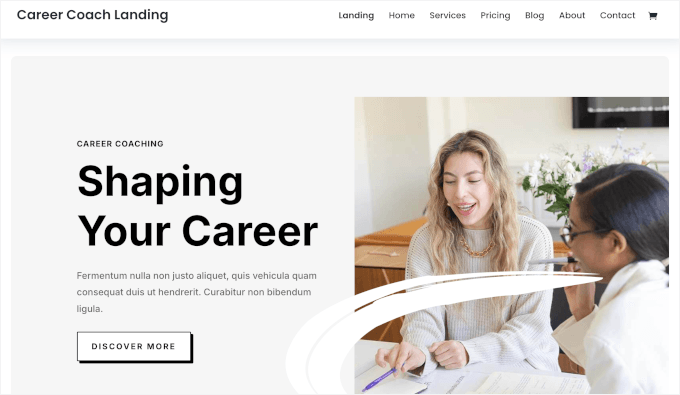
Divi is one of the most powerful all-in-one WordPress themes on the market, combining a full visual builder with a huge library of pre-built layouts. It’s a strong choice for agencies and freelance consultants needing creative control and the ability to move quickly across multiple projects.
What sets Divi apart from most themes on this list is its lifetime pricing option. For agencies managing multiple client sites, paying once and using it on unlimited websites is a meaningful financial advantage over annual subscriptions.
If you want to learn more about this theme, don’t miss our full Divi review.
My Experience
When testing out Divi, I browsed the layout library, and the scale of it was immediately apparent. With over 2,600 ready-to-use page designs across 370+ layout packs, there’s a starting point for almost every consulting niche you can think of.
I imported one of the consulting and coaching-specific layouts to see how it held up in practice. It came in cleanly and gave me a well-structured page with service sections, a bio area, and a clear call to action already in place.
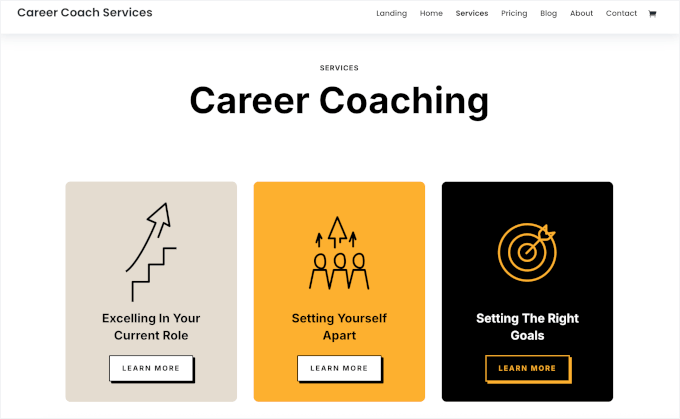
Divi uses its own visual builder rather than relying on Elementor or another third-party tool. Once I got familiar with the interface, customizing sections felt intuitive and gave me a high degree of control over spacing, fonts, and layout.
The 200+ built-in modules cover a wide range of needs. I found modules for testimonials, pricing tables (grid and stacked), and contact forms, all of which are relevant for a consulting site.
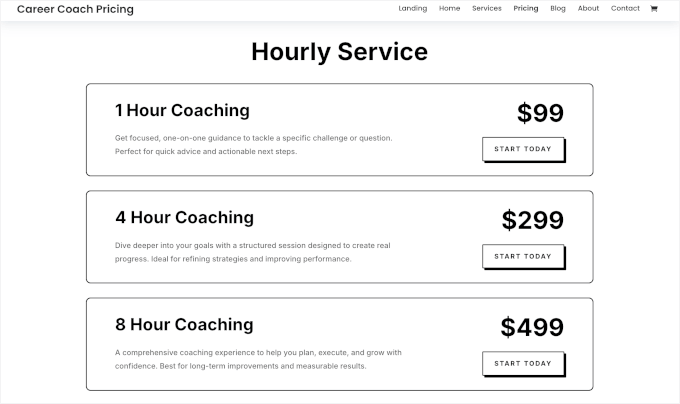
For agencies building sites for multiple clients, the ability to save and reuse layouts (similar to how you’d build reusable blocks in Gutenberg) across projects is a genuine time-saver. I tested this by duplicating a page structure, and it worked exactly as expected.
Additionally, all designs are fully responsive. I checked several layouts across phone and tablet screen sizes, and the results were consistent without any manual fixes needed.
✅ What I like about Divi:
Over 2,600 ready-to-use page designs across 370+ layout packs
200+ built-in modules covering every page type
Lifetime pricing option with unlimited website use
Full visual builder included
Consulting and coaching-specific layouts available to import
Fully responsive designs across all devices
🤔 What I don’t like about Divi:
No free plan
Has a steeper learning curve compared to simpler options
🌟 Why I Recommend Divi: It gives agencies and freelancers the creative control and layout variety to build polished consulting sites at scale. The lifetime pricing option makes it especially cost-effective for those managing multiple projects.
🧑💻 Get Divi today!
4. Ultra – Best Versatile Theme for Any Consulting Niche
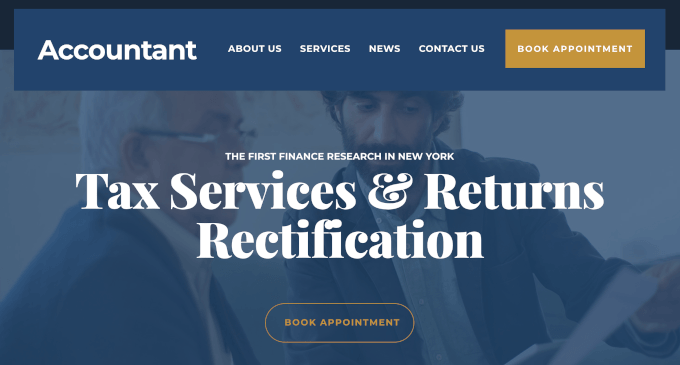
Ultra by Themify is a multipurpose WordPress theme that brings a distinct visual personality to consulting websites. It’s one of the right picks for consulting firms that want their site to stand out visually, not just look professionally adequate.
What makes Ultra different from most themes on this list is that it doesn’t depend on a third-party builder to function well. The Themify Builder is built directly into the theme, so everything works together from the start without compatibility concerns.
See our detailed Themify Builder review for more information.
My Experience
During testing, I chose the Accountant consulting demo as it gave me a strong visual foundation to work from. It loaded cleanly, and the design had bolder layouts and stronger visual hierarchy than most consulting starter sites I tested.
The Themify Builder handled all the customization I needed without requiring me to install anything extra. I could adjust sections, apply various template layouts, rearrange content blocks, and update colors directly within the builder interface.
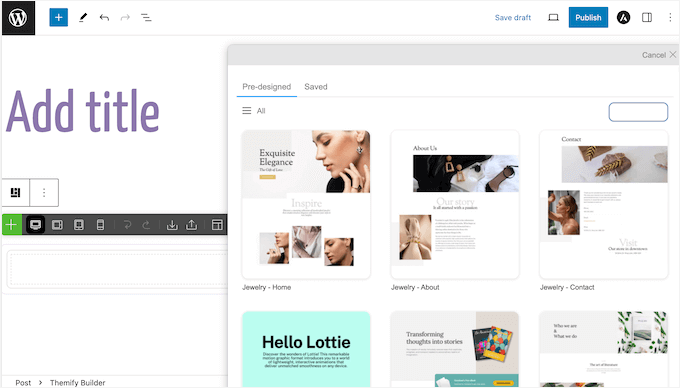
The visual design options also go noticeably deeper than standard multipurpose themes.
I had control over section backgrounds, overlay effects, and typography at a level that felt more like a design tool than a basic theme settings panel.
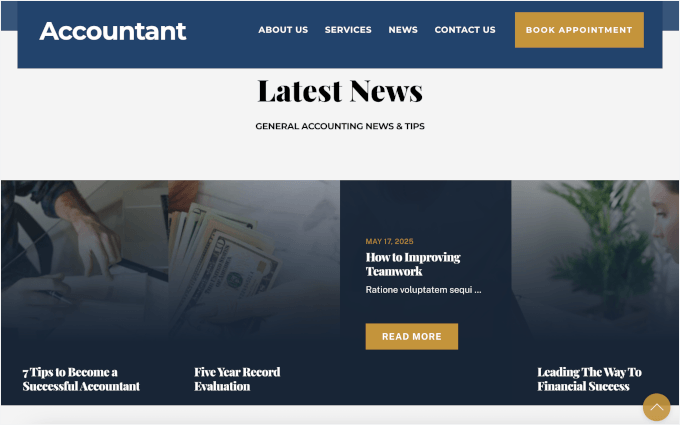
After extensive testing, I believe the depth of control makes Ultra well-suited for creative and design-build consulting firms as well. So if your work involves branding, architecture, or visual strategy, the theme’s aesthetic range matches that kind of positioning.
Another plus is that Ultra also works well with Elementor, making it a good fit for agencies already using it. I tested a basic layout, and there were no conflicts or display issues.
✅ What I like about Ultra:
Strong visual personality built for design-oriented consulting sites
Built-in Themify Builder doesn’t require a third-party page builder
Also compatible with Elementor and other popular builders
Consulting and coaching demo available as a starter site
Parallax scrolling and animation effects support
🤔 What I don’t like about Ultra:
No free plan
Themify Builder takes some time to learn
🌟 Why I Recommend Ultra: It gives design-oriented consulting agencies a visually distinct starting point with a built-in builder that needs no third-party tools. Firms that want their site to reflect creative expertise will find it a strong fit.
🧑💻 Get the Ultra theme today!
5. Neve – Best Lightweight Theme for Consultants
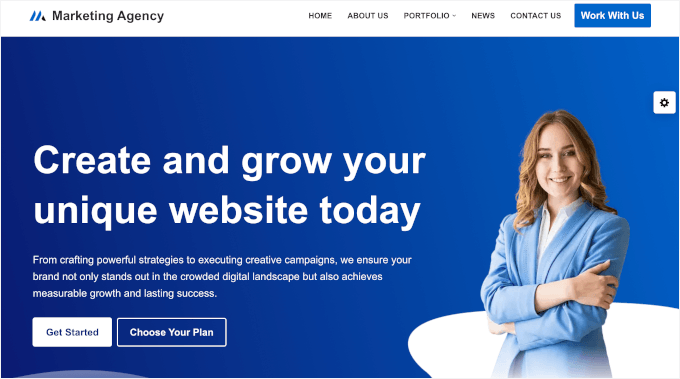
Neve is a mobile-first WordPress theme built around performance and flexibility. For consultants who want a reliable, fast-loading foundation they can pair with their preferred page builder without paying for features they don’t need, Neve is a standout choice.
The theme is intentionally clean and lightweight, and that shows from the moment you install it. It loads quickly, stays out of your way, and lets you build the experience you want rather than working around a theme’s design opinions.
My Experience
I installed Neve and had a basic consulting site structure in place faster than almost any other theme I tested. The low theme weight means there’s very little overhead slowing things down from the start.
The starter site library includes consulting templates you can import as a foundation. I pulled one in and found it well-organized, with clear sections for services and contact information already in place.
Header and footer customization also stood out during my testing. Neve includes a drag-and-drop editor for both areas, giving precise control over layout and content without needing a separate plugin or builder to handle it.
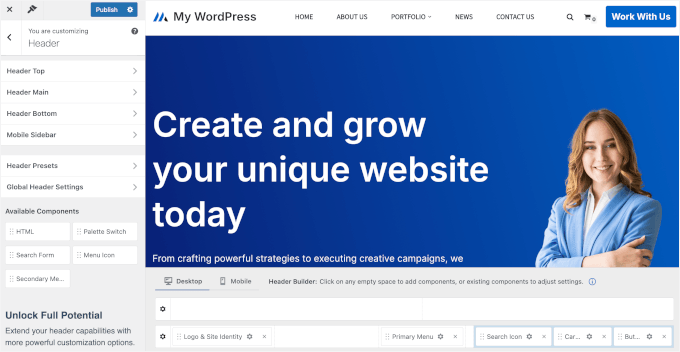
I also tested Neve alongside Beaver Builder and Elementor, and the integration was clean. There were no layout conflicts, and the builder worked exactly as expected within the theme’s structure.
There’s also a dedicated Portfolio built into the main navigation, along with a ready-made template for individual portfolio items.
For a consulting website, this is really helpful because it lets you show real results and past work. Instead of just listing your services, you can show how you’ve helped clients, which builds trust and makes it easier for people to choose you.
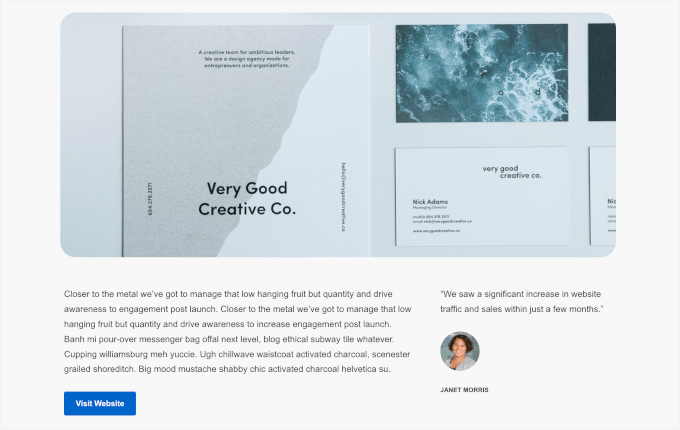
For consultants who also sell services or digital products, Neve includes WooCommerce-specific features. I checked a basic shop setup and found the theme handled product pages and checkout layouts without any additional configuration.
The white label option is also worth noting for developers or agencies building sites for clients. It lets you remove Neve branding and present the theme as part of your own branded product.
One limitation is that some advanced features are only available in the paid version. If you’re using the free version, it’s worth checking what’s included before building your site around those features.
✅ What I like about Neve:
Clean, mobile-first theme built around performance
Drag-and-drop header and footer customization
Starter site library with consulting templates
WooCommerce-specific features included
White label option for agencies and developers
Seamlessly integrates with Elementor and Beaver Builders
🤔 What I don’t like about Neve:
Some starter sites are Pro-only
Less advanced customization than premium themes
Basic animation and visual effects
🌟 Why I Recommend Neve: I like Neve because it gives solo consultants a fast, flexible foundation without unnecessary bulk. The header and footer builder alone saves time that other themes would spend on workarounds.
6. OceanWP – Best Consulting Theme for Deep Customization

OceanWP is one of the most customization-rich free WordPress themes available, and its premium extensions push that even further.
If you’re a consultant who wants to control every detail of your site’s presentation without being forced into a premium theme tier from the start, OceanWP makes a compelling case. The free version alone offers more design control than most themes charge for.
For details, see our complete OceanWP review.
My Experience
From testing, the consulting starter demo imported smoothly with a polished layout and all the key sections in place, including About, Services, Contact, and an Events page. This is great for consultants who run regular webinars and other types of consulting sessions.
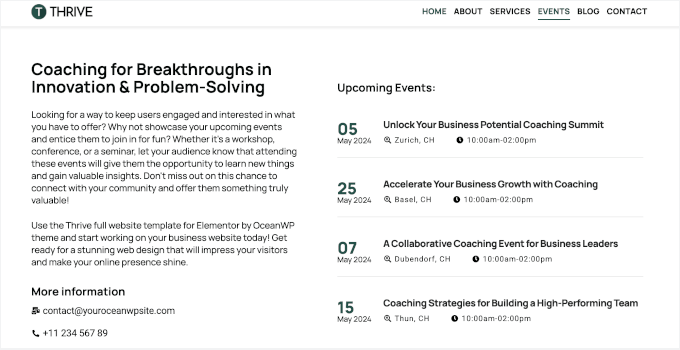
Another thing I liked was the level of customization in the theme settings. I could adjust things like typography, colors, header layout, footer columns, and sidebar behavior from the WordPress Customizer without needing to touch code.
The premium extensions are worth exploring if you need more advanced features. I reviewed the available add-ons and found options for custom headers, white label settings, and additional layout controls that go well beyond what the free version offers.
✅ What I like about OceanWP:
One of the most customization-rich free WordPress themes available
Fully compatible with Elementor and other page builders
Consulting starter demo available to import
Multiple headers and layout styles
Gallery with lightbox effect support
Flexible page layouts
🤔 What I don’t like about OceanWP:
Some features need add-ons
Not the most beginner-friendly at first
🌟 Why I Recommend OceanWP: It gives consultants more design control at the free tier than most themes offer at a paid level. For budget-conscious firms that don’t want to compromise on customization, it’s a hard option to overlook.
7. Business3ree – Best for Budget-Conscious Consulting Startups

Business3ree is a modern, professional theme for consulting and service-based websites that need to communicate trust quickly.
It has a sleek design with a dark aesthetic, which is a great choice for consultants who prefer a more polished, contemporary look without unnecessary clutter.
My Experience
I started with importing the consulting pages that come with Business3ree, and the process was straightforward.
My immediate impression was that it doesn’t try to do everything, and that restraint works in its favor. Instead of packing in unused features, it focuses on what matters: a credible design and reliable performance from day one.
The layout prioritizes clarity over decoration. Service descriptions, contact sections, and credential areas are all laid out in a way that makes it easy for a visitor to understand what you do and how to reach you.
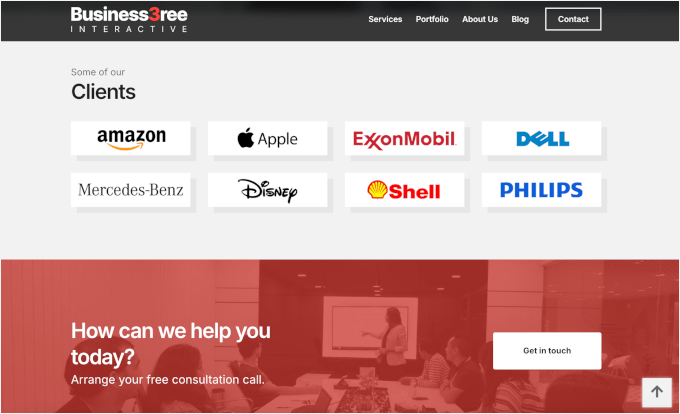
The dark color palette also gives the site a modern, professional feel. It works especially well for consultants who want something a bit more distinctive than the usual light, text-heavy layouts.
Plus, it supports a video hero, giving you the option to add a more engaging introduction at the top of your WordPress site.
The main limitation is that if your consulting practice grows and your site needs to expand significantly, you may find yourself wanting more design range than this theme provides.
✅ What I like about Business3ree:
Modern theme focused on professionalism
Purpose-built for consulting and professional services
Video hero support for user engagement
Compatible with Elementor and similar builders
Includes ready-made consulting pages you can import
🤔 What I don’t like about Business3ree:
No free plan
Limited advanced features compared to massive multipurpose themes
The dark aesthetic might not suit every type of consulting brand
🌟 Why I Recommend Business3ree: It gives new consulting practices a modern, credible starting point without unnecessary complexity or cost. For solo practitioners launching their first professional business site, it does exactly what it needs to do.
8. Inspiro – Best for Consulting Firms That Lead With Visual Work
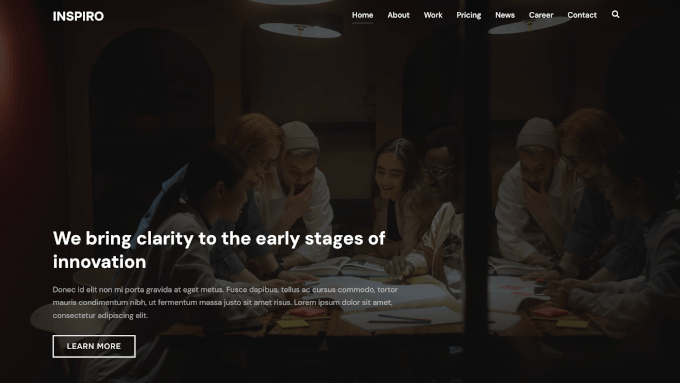
Inspiro takes a media-first approach that works well for consulting sites. Instead of text-heavy layouts, it puts your visual work front and center, which is ideal for firms where the work itself is the pitch.
For creative consulting agencies like architecture, branding, or UX, this makes a real difference. Highlighting project visuals upfront tells a stronger story than hiding them below the fold.
My Experience
When testing out Inspiro, I imported the consulting-focused starter site, which came in with a hero video section already in place.
The hero video section worked cleanly on import and didn’t require any technical configuration to get running. I swapped in a sample video and the layout adjusted around it without any manual fixes needed.
🧑💻 Pro Tip: First impressions carry a lot of weight. A strong visual layout can capture attention much faster than a text-heavy design.
During testing, I found that Inspiro’s custom modules are built specifically for Elementor.
They felt purpose-built for visual storytelling, with options for full-width image displays, project grids, and dynamic content elements that go beyond what standard Elementor widgets offer.
The variety of layout options gave me flexibility in how I presented project work. I tested a grid-based case study layout and a full-width image section, and both held up well visually without feeling repetitive.

Dynamic elements also added a layer of polish to the pages I built. Subtle animations and transitions made the site feel modern and considered, which is exactly the kind of impression a creative consulting firm wants to leave.
Overall, the pre-built templates are well-matched to the visual-first use case. I didn’t need to redesign sections from scratch to get something that looked portfolio-quality.
Responsiveness was also consistent across all screen sizes I tested. The visual layouts, including the hero video and project grids, show up cleanly without losing their impact.
✅ What I like about Inspiro:
Media-first approach with top-tier video and photo capabilities
Consulting-focused starter site with hero video included
Custom modules built specifically for Elementor
Variety of layout and template options for showcasing project work
Parallax effect support
🤔 What I don’t like about Inspiro:
🌟 Why I Recommend Inspiro: It gives visual-led consulting firms a theme built around showcasing work, not just describing it. For agencies where project imagery and case studies do the selling, it’s the most purpose-fit option on this list.
9. Astra – Best Minimalist Consulting Theme
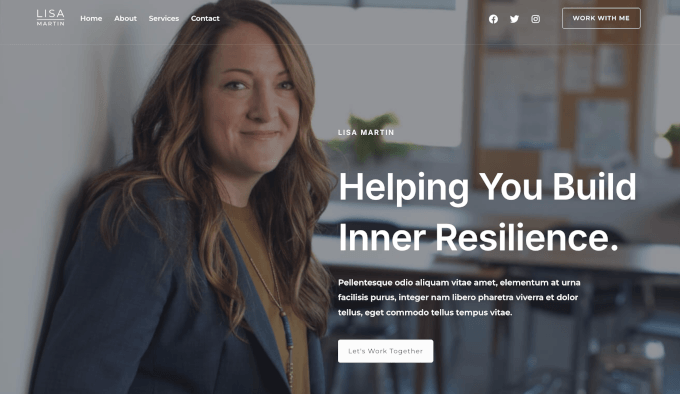
Astra is a minimalist WordPress theme that works especially well for consulting websites. It’s a solid choice if you want a reliable site that’s easy to customize as your business grows.
For consultants focused on SEO, performance, and long-term scalability, Astra stands out as one of the most future-proof options on this list. If you need more information about this theme, see our complete Astra review.
My Experience
Astra has a business consulting starter site, and it loaded cleanly with a well-structured layout covering all the key sections in my testing. The process was quick and didn’t require any manual cleanup.
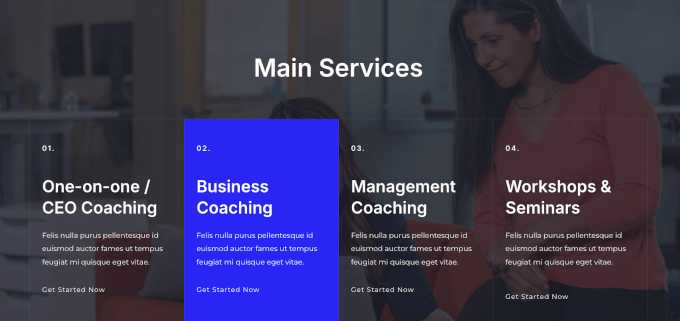
Astra’s lightweight build was noticeable right away, with fast-loading pages even before any extra optimization. SEO is clearly a priority as well. The theme uses structured code that pairs well with SEO plugins, which is ideal for consulting businesses that rely on organic traffic.
Scalability was one of the things I paid close attention to during testing. I added additional pages, a blog section, and a services archive to the test site, and the theme handled the expanded structure without any layout or performance issues.
Plus, the sheer size of Astra’s user base has a practical benefit. It has an extensive library of community tutorials, third-party resources, and developer documentation available, which makes troubleshooting and customization much easier.
✅ What I like about Astra:
Importable business consulting starter sites included
Works smoothly with contact form, booking, and translation plugins
Compatible with Elementor and other popular page builders
Easily customize layouts and typography
Optimized for speed and SEO
🤔 What I don’t like about Astra:
Limited design options in the free version
🌟 Why I Recommend Astra: It gives growing consulting businesses a fast, scalable foundation that won’t need to be replaced as the site expands. For long-term SEO performance and builder flexibility, it’s one of the most dependable choices on this list.
What Is the Best WordPress Consulting Theme?
Choosing the best WordPress consulting theme depends on your specific needs, but here are my top picks:
Sydney is my #1 choice. It’s easy to set up and looks credible right out of the box. It’s ideal for solo consultants and small firms who want to launch fast without spending on a premium theme.
SeedProd is the best option if you want a fully custom-looking site without hiring a developer. Its AI website generator and drag-and-drop theme builder let you create a unique consulting site from scratch in under 60 seconds.
Divi is the strongest pick if you want a vast library of layouts and powerful design tools – a solid option for agencies and consulting firms managing multiple client-facing sites.
I recommend using the free version of Sydney and importing the consulting starter site to quickly launch a professional, client-ready website.
FAQs About Building a WordPress Website for Consulting
Got questions about setting up your consulting website? I’ve answered the most common ones below.
Do I need a premium theme for a professional consulting website?
No. Themes like Sydney and OceanWP deliver genuinely professional results at no cost. A free theme is a perfectly credible starting point for most solo consultants and small firms, and you can always upgrade as your needs grow.
Which consulting theme is best if I’m not technical?
Sydney and SeedProd are both beginner-friendly. Sydney lets you import a ready-made consulting site in a few clicks, while SeedProd’s AI builder generates a complete site from a short text description with no technical knowledge required.
Can I switch themes later without losing my content?
Yes. Your WordPress posts, pages, and media stay intact when you switch themes. However, any layouts built with a theme’s own page builder may need to be rebuilt in the new theme, so it’s worth choosing carefully from the start.
Do I need a separate plugin for contact forms and appointment booking?
Yes. Most WordPress consulting themes don’t include contact forms or booking tools built in. You’ll need a plugin like WPForms for contact forms or a dedicated booking plugin to handle appointment scheduling on your site.
What if I want to use my consulting site to sell courses or digital products?
Any theme on this list can support that use case with the right plugins.
For online courses, you’d pair your theme with a learning management system plugin.
For physical products or complex stores, WooCommerce works perfectly.
For selling digital products like eBooks or downloadable templates, we highly recommend Easy Digital Downloads, as it is much easier to set up.
Next Steps For Building Consulting Websites in WordPress
Building a great consulting site goes beyond picking the right theme.
These WPBeginner guides will help you set up the tools and features your site needs to attract and convert clients:
If you liked this article, then please subscribe to our YouTube Channel for WordPress video tutorials. You can also find us on Twitter and Facebook.